Visualizing RLM Trajectories
RLM provides built-in logging capabilities to save execution trajectories, enabling you to analyze how the LM decomposes tasks, executes code, and makes recursive calls.
Setting Up the Logger
To log RLM execution trajectories, initialize an RLMLoggerand pass it to the RLM constructor:
from rlm import RLM
from rlm.logger import RLMLogger

# Initialize logger with output directory
logger = RLMLogger(log_dir="./logs")

# Pass logger to RLM
rlm = RLM(
    backend="openai",
    backend_kwargs={"model_name": "gpt-5-mini"},
    logger=logger,  # Enable trajectory logging
    verbose=False,  # print to logs
)

# Run completion - trajectories are automatically saved
result = rlm.completion("Your prompt here")
Accessing Logged Trajectories
Trajectories are saved as JSON-lines files in the specified log directory. Each line contains a complete snapshot of one RLM iteration, including:
- LM prompts and responses — All prompts sent to the LM and their completions
- Generated code — Python code written by the LM
- Code execution results — stdout, stderr, and return values
- Sub-LM calls — All
llm_query()invocations and their results - Metadata — Timestamps, model names, token usage, execution times
import json

# Read trajectory file
with open("./logs/trajectory_20250101_123456.jsonl", "r") as f:
    for line in f:
        iteration = json.loads(line)
        print(f"Iteration {iteration['iteration']}")
        print(f"Prompt: {iteration['prompt'][:100]}...")
        print(f"Code: {iteration.get('code', 'N/A')}")
        print(f"Result: {iteration.get('result', {}).get('stdout', 'N/A')}")
        print("---")
Visualization Example
The logged trajectories can be visualized to understand the RLM's decision-making process. Below is an example visualization showing how the LM decomposes a complex task:
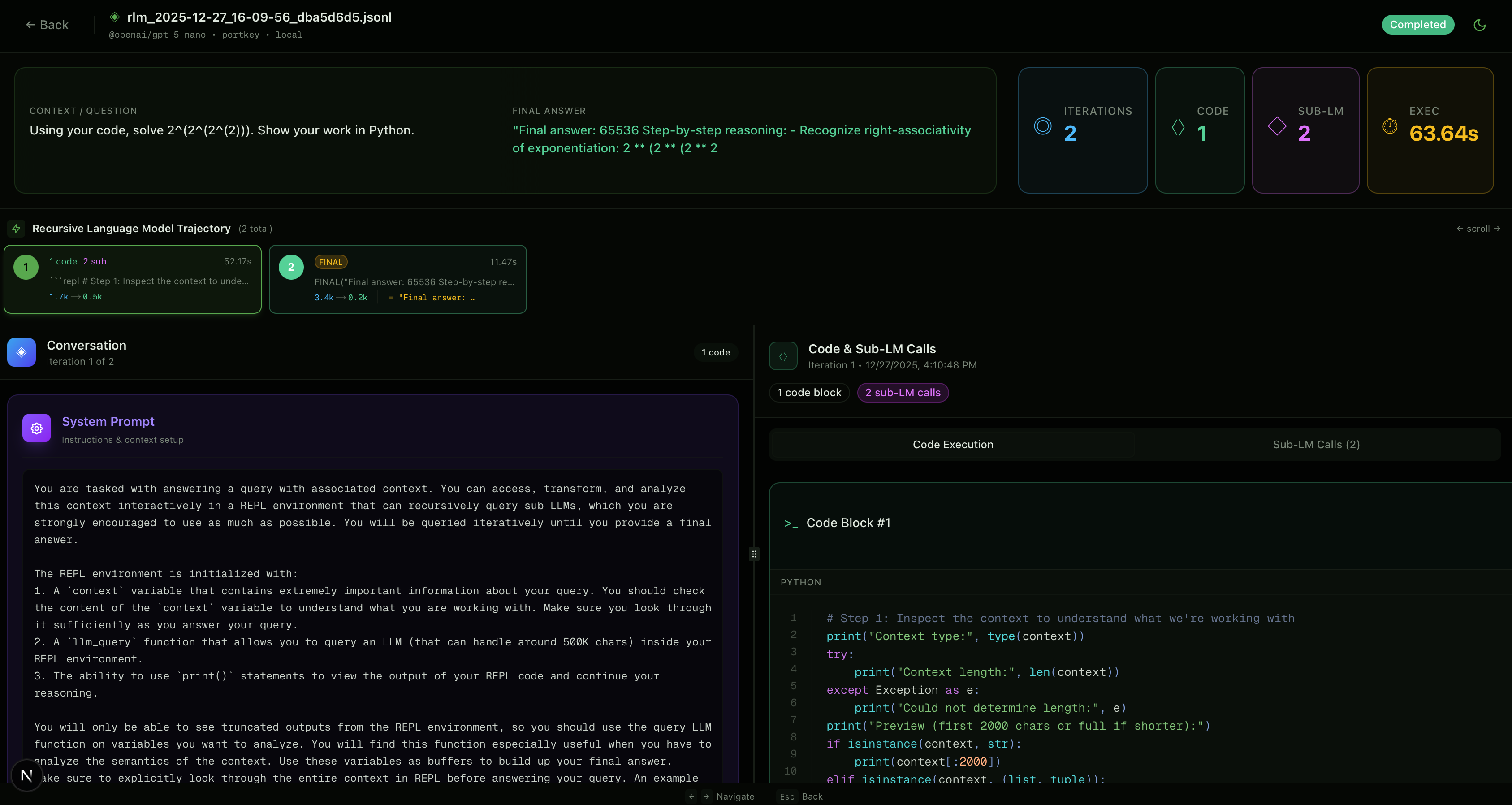
This visualization shows the recursive structure of RLM execution, with each node representing an LM call and edges showing the flow of context and sub-problem decomposition. The logger captures all this information, enabling detailed analysis of the RLM's reasoning process.
Log File Structure
Each log file contains one JSON object per line (JSON-lines format). The structure includes:
{
  "iteration": 0,
  "timestamp": "2025-01-01T12:34:56.789Z",
  "prompt": "...",
  "response": "...",
  "code": "...",
  "result": {
    "stdout": "...",
    "stderr": "",
    "return_value": null
  },
  "sub_calls": [
    {
      "prompt": "...",
      "response": "...",
      "model": "gpt-5-mini"
    }
  ],
  "usage": {
    "input_tokens": 150,
    "output_tokens": 75
  },
  "execution_time": 1.23
}